Trying out some includes
I wanted to start adding snapshots or pictures to some posts, to further use them for picture galeries (JPG) and documentation (PNG). To that end, might as well use the documented Jekyll method or the feature used in the theme.
This implies a few things.
- Cleanup the image of all metadata (since we’ll be uploading it into the repo)
- Actually format and upload it.
- Invoke said image in the post.
Cleanup the image
What we wan to do here is rid an image file of all exif data. There is probably a way to automate this, but for now the best tool for the job is exiv2.
Say we have image.jpg: we cancheck the current info [redacted]
$ cd assets/images
$ exiv2 flex_solder_fix_kcp5x5mxz2.jpg
File name       : flex_solder_fix_kcp5x5mxz2.jpg
File size       : 5566627 Bytes
MIME type       : image/jpeg
Image size      : 3000 x 4000
Camera make     : ██████████
Camera model    : ██████████
Image timestamp : ██████████
Image number    : ██████████
Exposure time   : ██████████
Aperture        : ██████████
Exposure bias   : ██████████
Flash           : ██████████
Flash bias      : ██████████
Focal length    : ██████████
Subject distance: ██████████
ISO speed       : ██████████
Exposure mode   : ██████████
Metering mode   : ██████████
Macro mode      : ██████████
Image quality   : ██████████
Exif Resolution : ██████████
White balance   : ██████████
Thumbnail       : ██████████
Copyright       : ██████████
Exif comment    : ██████████
not too much stuff, but maybe camara or phone model, timestamp, exposure, lens specs, ISO, etc. but under other circunstances it would also include geotag. and mostly we don’t have to expose that, so let’s remove all that we can.
$ exiv2 -d a flex_solder_fix_kcp5x5mxz2.jpg
$ exiv2 flex_solder_fix_kcp5x5mxz2.jpg
File name       : flex_solder_fix_kcp5x5mxz2.jpg
File size       : 5549698 Bytes
MIME type       : image/jpeg
Image size      : 3000 x 4000
flex_solder_fix_kcp5x5mxz2.jpg: No Exif data found in the file
Good enough.
Format and Upload.
3000x4000 is a bit too large for most use cases. so we crop and resize to bring it down to a more reasonable size.
$ exiv2 flex_solder_fix_kcp5x5mxz2.jpg
File name       : flex_solder_fix_kcp5x5mxz2.jpg
File size       : 586208 Bytes
MIME type       : image/jpeg
Image size      : 1500 x 1241
...
After resizeing and cropping, keeping jpeg compression at 95, the size dropped from ~5MB to ~500KB.
I’m using /assets/images repo subfolder for this end.
The file name is already unique and informative, so I’ll commit it. let’s skip the cli here.
Invocation
one example for invocation (adapted) referenced in the minimal mistakes docs.
<figure>
  <img src="/assets/images/flex_solder_fix_kcp5x5mxz2.jpg" alt="A Photo!">
  <figcaption>This is an replacement wire added to a damaged flex.</figcaption>
</figure>
let’s try it!
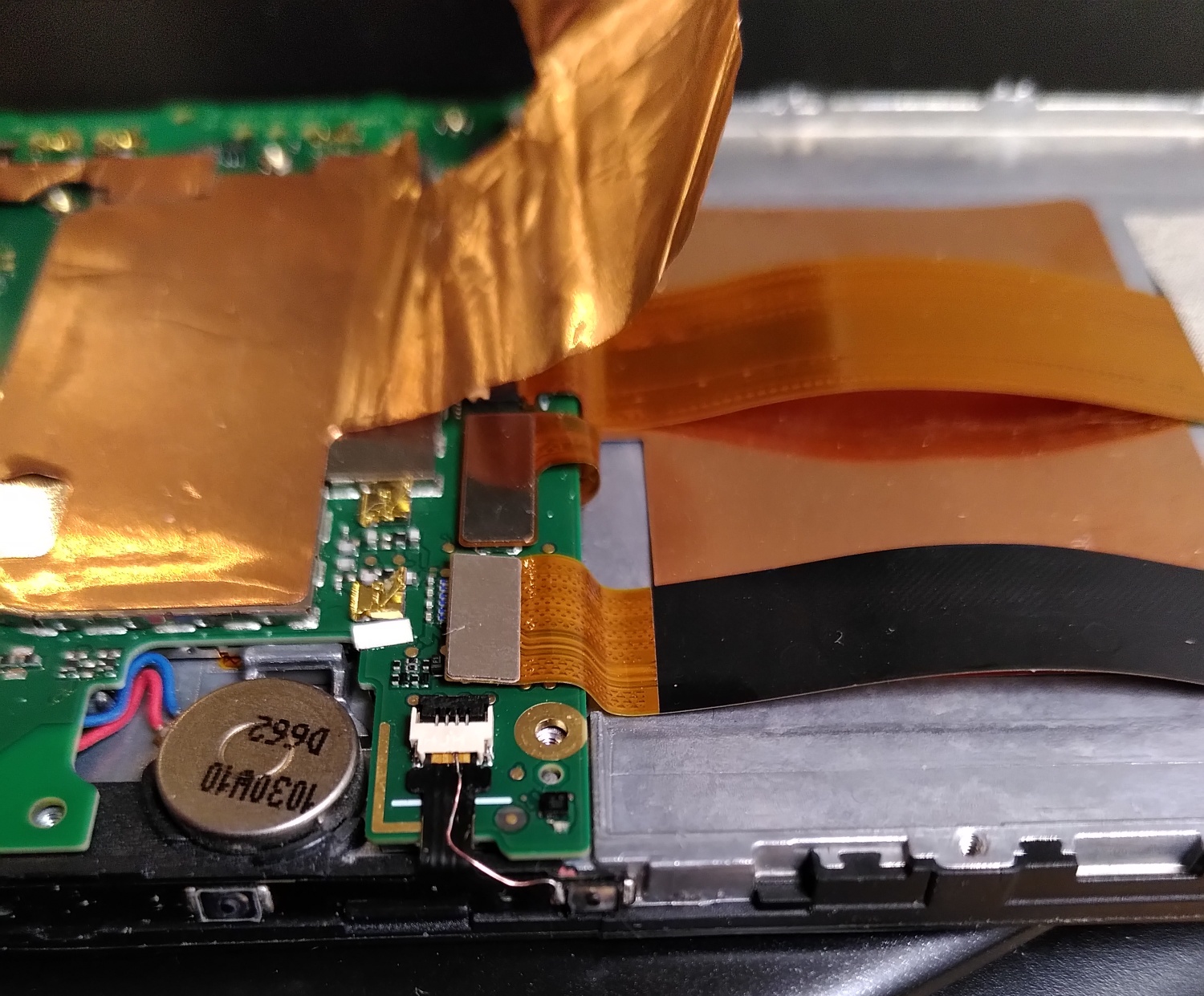
Let’s go with the methods suggested in Jekyll’s docs.
Inline-style:

Reference-style:
![A Photo!][logo]
[logo]: /assets/images/flex_solder_fix_kcp5x5mxz2.jpg "This is an replacement wire added to a damaged flex."
Inline-style:
Reference-style:
Hopefully this is visible. one commit coming up.
OK all three methods work “OK”. the size is a bit too big tho, since it’s using the width of the collumn, and the style of post pages has only one. let’s see if I can shrink them by tweaking the invocation. or by trying out gallery:
This works by adding an array to the frontmatter:
gallery:
  - url: /assets/images/flex_solder_fix_kcp5x5mxz2.jpg
    image_path: /assets/images/flex_solder_fix_kcp5x5mxz2.jpg
    alt: "This is an replacement wire added to a damaged flex."
    title: "A Photo!"
  - url: /assets/images/flex_solder_fix_kcp5x5mxz2.jpg
    image_path: /assets/images/flex_solder_fix_kcp5x5mxz2.jpg
    alt: "This is an replacement wire added to a damaged flex."
    title: "A Photo!"
and invoking it via the helper.
\{\% include gallery caption="This is a sample gallery with **Markdown support**." \%\}
which transforms it into something like this
<figure class="half ">


      <a href="/assets/images/flex_solder_fix_kcp5x5mxz2.jpg"
        title="A Photo!">
          <img src="/assets/images/flex_solder_fix_kcp5x5mxz2.jpg"
               alt="This is an replacement wire added to a damaged flex.">
      </a>


      <a href="/assets/images/flex_solder_fix_kcp5x5mxz2.jpg"
        title="A Photo!">
          <img src="/assets/images/flex_solder_fix_kcp5x5mxz2.jpg"
               alt="This is an replacement wire added to a damaged flex.">
      </a>


    <figcaption>This is a sample gallery with <strong>Markdown support</strong>.
</figcaption>

</figure>
Should look like this:
Sidenote on galleries. this helper only works well if you have more than one photo in it, but it becomes interactive and allows you to zoom in.
The helper’s html code gave me an idea tho.
<figure class="half ">


      <a href="/assets/images/flex_solder_fix_kcp5x5mxz2.jpg"
        title="A Photo!">
          <img src="/assets/images/flex_solder_fix_kcp5x5mxz2.jpg"
               alt="This is an replacement wire added to a damaged flex.">
      </a>

    <figcaption>This is a sample gallery with <strong>Markdown support</strong>.
	</figcaption>
</figure>
You can alteratively load the image with a custom style:
<figure>
  <img src="/assets/images/flex_solder_fix_kcp5x5mxz2.jpg"
  alt="Sample image."
  style="width:300px;"/>
  <figcaption>This is an replacement wire added to a damaged flex.</figcaption>
</figure>
and thus limit it’s width, but that messes up the figure caption and places it on top (?)
Sidenote on style format. remove the caption.
The figure class=half block seems to be the most functional, since it’s also kinda adaptive and looks ok on a mobile.
This whole post looks like mess now. but since the image exists only once, I’ll keep it as a demo/test.